
Introduction:
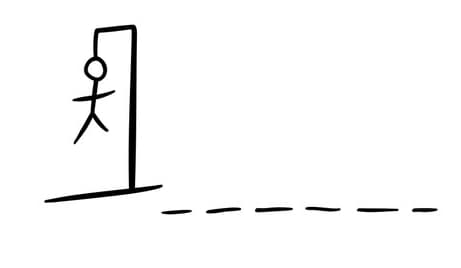
Hangman is a classic word guessing game that has entertained people for decades. In this blog post, we will delve into developing a text-based version of the Hangman game using Python. This interactive game challenges players to guess a word by guessing individual letters. Let’s dive into the code and create our own Hangman game step by step.
Setting Up the Hangman Game:
To create our Hangman game, we will utilize Python’s string manipulation, loops, and conditional statements. Here’s the code for our text-based Hangman game:
import random

# List of words to choose from
word_list = ["python", "hangman", "programming", "computer", "game"]

# Select a random word from the list
word = random.choice(word_list)

# Tracking the guessed letters
guessed_letters = []

# Number of allowed attempts
max_attempts = 6

# Game loop
while max_attempts > 0:
    # Display the current status of the word
    display_word = ""
    for letter in word:
        if letter in guessed_letters:
            display_word += letter
        else:
            display_word += "_ "

    print("Current word:", display_word)
    print("Attempts left:", max_attempts)

    # Prompt the player to guess a letter
    guess = input("Guess a letter: ").lower()

    # Check if the guessed letter is valid
    if len(guess) != 1 or not guess.isalpha():
        print("Invalid guess. Please enter a single letter.")
        continue

    # Check if the guessed letter is already guessed
    if guess in guessed_letters:
        print("You already guessed that letter. Try again.")
        continue

    # Add the guessed letter to the list
    guessed_letters.append(guess)

    # Check if the guessed letter is in the word
    if guess in word:
        print("Good guess!")
    else:
        print("Wrong guess!")
        max_attempts -= 1

    # Check if the player has won
    if set(word) <= set(guessed_letters):
        print("Congratulations! You won!")
        break

# Check if the player has lost
if max_attempts == 0:
    print("Game over! You lost. The word was:", word)
Explanation:
- We start by importing the necessary module, random, which will help us choose a random word from the word list.
- We define a list of words from which the game will randomly select one.
- The selected word is stored in the “word” variable.
- We initialize an empty list called “guessed_letters” to keep track of the letters the player has guessed.
- The “max_attempts” variable determines the number of allowed attempts before the player loses the game.
- The game loop begins, which will continue until the player wins or exhausts all the attempts.
- Within the loop, the current status of the word is displayed, with correctly guessed letters shown and others replaced with underscores.
- The player is prompted to enter a letter as their guess.
- Various checks are performed on the player’s input, such as ensuring it is a single letter and hasn’t been guessed before.
- The guessed letter is added to the “guessed_letters” list.
- The program checks if the guessed letter is present in the word and provides appropriate feedback to the player.
- If the player has guessed all the letters in the word, they win the game and the loop breaks.
- If the player exhausts all attempts, the program displays a losing message along with the correct word.
Conclusion:
Congratulations! You have successfully developed a
text-based version of the classic Hangman game using Python. This game challenges players to guess a word by guessing individual letters. By following the code provided and understanding the logic behind it, you now have a functional Hangman game that can provide hours of entertainment.
Python’s string manipulation, loops, and conditional statements were instrumental in creating this game. The “word_list” holds a collection of words from which a random word is chosen using the “random.choice()” function. The “guessed_letters” list keeps track of the letters the player has guessed, while the “max_attempts” variable determines the number of allowed incorrect guesses.
The game loop allows for continuous gameplay until the player wins or loses. Each round, the current status of the word is displayed with correctly guessed letters shown and others as underscores. The player is prompted to enter a letter as their guess, and the program performs checks to ensure the input is valid.
If the guessed letter is in the word, the player receives a “Good guess!” message. Otherwise, they receive a “Wrong guess!” message, and the number of remaining attempts decreases. The game continues until the player wins by guessing all the letters or loses by using up all the attempts.
This text-based Hangman game provides an interactive and enjoyable way to test your word-guessing skills. You can enhance the game further by adding features such as a graphical interface, scoring, or even different word categories.
Remember to experiment and have fun(Other fun Projects for beginners) with Python programming. It’s a versatile language that allows you to create a wide range of games and applications. Happy coding!